


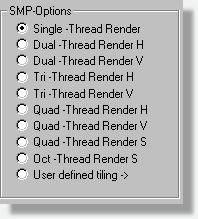
 |
What
is distributed rendering?
Distributed rendering is simply to render a scene on one or more computers. Why do I say one? Because, dual or quad processor machines are not that uncommon anymore. So when we say we distribute rendering jobs, we are actually talking about distributing on several processors. If you have two processors in your computer, you can render 50% on each processor and that will save you some time. But the usual situation is still that you have access to several computers on a network. An example: You have a network with 10 PC's. On your machine you are running POV-Ray. As usual you are closing in fast on the IRTC (1) deadline and you are getting very nervous about not getting the image finished on time. Suddenly a brilliant idea strikes you: What if you could use the other nine computers to help you rendering the scene? POV-Ray supports partial renderings to that is not a problem. Quickly you copy your scene files to all computers, installs POV-Ray and starts rendering. Now, half way through the job you discover that you need to change the material of one of the objects. This means that you'll have to either change it on all the computers or copy a new file to all them. Pretty time consuming. Hmm. What if I had a program that would distribute the scene to all available computers? Perhaps a small client software that was able to receive a file and start POV-Ray to render it? Much, much smarter. This brings us up to SMPOV. What is SMPOV? SMPOV are actually two programs. Well, as a matter of fact three, but we'll leave that for later. The first program is an agent. On the client machines this is all that needs to be installed. The clients only job is to look for new jobs on the server and start POV-Ray to render them. The only thing the client needs is permition to read and write in a directory on the server. We'll talk about this directory in the next part. The second software is the server. The server is responsible for splitting up the scene in chunks and putting them in a special folder. In this directory there are a number of special directories. These are created when the client starts up on each computer. Inside each directory there is a profile file that tells the server how many processors each computer has. From what choises you made in the front end, the server knows how many parts is should slit the scene in. If you told it that you wanted 10 chunks, it will create 10 jobs in the directory. The next time one of the active client, agents, looks in that directory it will notice that there is something for it to do. It will take the first "free" file and start POV-Ray. POV-Ray is then instructed to render that particular job. When it's finished, the client will write the rendered file back to the directory on the server. This file is only a partial rendering of the full image. If you choose 10 tiles, it's 10% of the final picture. And so it goes on and on until there are no more jobs in the directory. When the server notices that all jobs are done it will start the third program. Remember that I mentioned that above? This programs single purpose is to put all those partial renderings back to one big image. When the third program is done your image is finished. When should I use distributed rendering? Well, not always. Since there are quite some latency on the network with files needed to be copied back and forth, small fast scenes can actually take longer to render on several machines. The time it takes to start all jobs, copy the files and write the partial renderings back to the server can and probably will take longer than if you rendered on one machine only. So the only time you'll benefit from using several machines is when it's a large job. When the breakpoint is? It's hard to tell since it depends on what type of network you have and so on. But if we take two well known scenes; skyvase.pov and benchmark.pov, both used to measure the capacity of computers, the smaller skyvase won't benefit at all from SMPOV. Especially not on newer and faster machines. Benchmark.pov on the other hand is a typical job for a network rendering. It can take anything from 30 minutes to 5-6 hours depending on how fast your computer is. (1) http://www.irtc.org |
 |
|
  |
|
 |
|
Hits | Theo Gottwald * Wolfartsweierer Str.1 * 76131 Karlsruhe | Telefon (07 21) 9 66 33-00 | Fax (07 21) 9 66 33-99 |yInfo@it-berater.org | Stand: 10/16/2003